
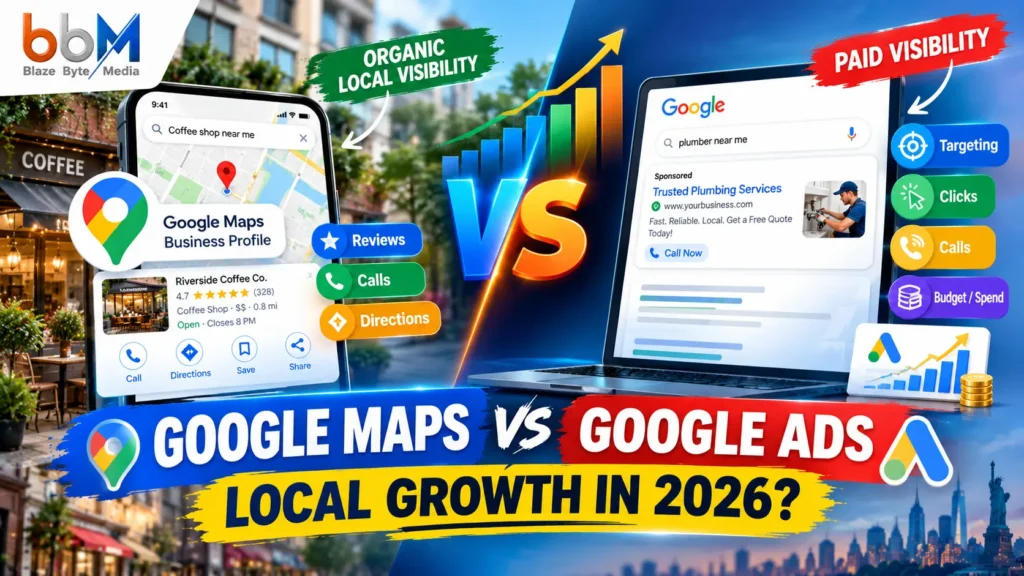
Google Maps vs Google Ads: Introduction
A plumber in Austin and a bakery in Leeds are asking the same question this week: should the next marketing dollar go into a free Google Business Profile listing on Google Maps, or into a paid Google Ads campaign? The two get confused constantly because they both live inside the same Google ecosystem and both show up when someone searches “near me.” But they are not competing products. One is a free directory listing that earns visibility through relevance and trust. The other is a paid auction where you buy placement instantly.
This guide breaks down exactly how Google Maps and Google Ads work, what each one costs, how long each takes to produce leads, and which one fits your business stage. You will also see where the two overlap, where Local Services Ads and Promoted Pins fit in, and how to build a local strategy that uses both without wasting budget.
Google Maps, through your free Google Business Profile, builds long-term, trust-based organic visibility in local search and the map pack at no direct cost. Google Ads is a paid auction system that buys immediate placement above organic results, on Search, on Maps, and across other Google properties. Most local businesses get the best return by optimizing their free Google Business Profile first, then layering in Google Ads once that foundation is in place.
What Is Google Maps and Google Business Profile
Google Maps is the navigation and local discovery app that shows businesses, directions, and reviews. But the listing that actually appears on the map, in the local 3-pack, and in Google Search results comes from your Google Business Profile (GBP), formerly called Google My Business. It is free to create and manage.
A Google Business Profile includes your business name, address, phone number, hours, category, photos, services, posts, and customer reviews. When someone searches “coffee shop near me” or “emergency electrician in Manchester,” Google decides which profiles to show based on how well they match the query and how trustworthy they appear.
Key point for beginners: you do not pay Google to appear on Maps. You pay, optionally, to appear higher, faster, or in more places through Google Ads. The base listing itself, and organic ranking within it, costs nothing but time and effort.
What Shows Up in a Google Business Profile
- Business name, category, and subcategories
- Address and service area, for businesses that travel to customers
- Phone number and website link
- Hours, including holiday hours
- Photos and videos
- Products, services, and menus
- Customer reviews and your replies
- Posts for offers, updates, and events
- Questions and answers from the public
What Is Google Ads
Google Ads is Google’s paid advertising platform. Businesses bid on keywords or audiences, and Google runs an auction to decide whose ad shows, where, and at what cost. For local businesses, four Google Ads formats matter most:
- Search Ads — text ads that appear above organic results when someone searches a relevant term, like “roof repair Dallas.” These are generally the main driver of website clicks and calls for local businesses running standard keyword campaigns.
- Local Services Ads (LSAs) — appear at the very top of results, above Search Ads, for service categories like plumbers, electricians, and lawyers. You pay per lead rather than per click, and Google Guarantee badging adds trust.
- Local Search Ads on Maps (Promoted Pins) — sponsored pins and listings that appear directly inside the Google Maps app when someone searches or browses nearby. These pull in your business name, star rating, distance, and a short description, and they carry an “Ad” label or a distinct pin icon to separate them from organic results.
- Performance Max for local goals — an automated campaign format built to drive foot traffic to a physical store by putting ads in front of local customers who are already searching for businesses like yours on Google Maps.
Unlike a Google Business Profile, every one of these formats requires an ongoing budget. The moment you stop paying, the placement disappears.
Google Maps vs Google Ads: Key Differences at a Glance
| Factor | Google Maps (Google Business Profile) | Google Ads |
|---|---|---|
| Cost to set up | Free | Free to create, but requires ad spend to run |
| Cost to appear | No direct cost | Pay per click, per lead, or per impression |
| Time to results | Weeks to months, builds over time | Hours to days |
| Where it appears | Map pack, Maps app, knowledge panel | Above search results, inside Maps as sponsored pins, Display, YouTube |
| Ranking basis | Relevance, distance, prominence | Bid amount, quality score, ad relevance |
| Longevity | Compounds and persists once established | Stops the moment spending stops |
| Trust signal | High; reviews and organic placement build credibility | Lower for some searchers, though LSAs carry a Google Guarantee badge |
| Best for | Long-term local visibility and brand asset building | Immediate leads, new market entry, competitive categories |
This table captures the core tension. A Google Business Profile is your free organic presence on Search, Maps, and the local pack. Google Ads and Local Services Ads sit on a separate paid layer that buys the slots above that pack. They run through different systems entirely, with separate dashboards and separate logins, and neither one substitutes for the other.
How Google Maps Visibility Actually Works
Google ranks Business Profiles using three pillars: relevance, distance, and prominence. You cannot control distance, but relevance and prominence respond directly to the work you put into your profile.
Google itself explains that local results are based primarily on how well a listing matches the search, how close the business is to the searcher, and how well-known the business appears to be. Together, these three signals decide who shows up first.
Relevance
Relevance measures how well your listing matches what someone typed or said. Your business category, the keywords on your website, and the content of your reviews all feed into this. Choosing the narrowest, most accurate category matters more than most owners expect. Moving a listing from a broad category like “Law Firm” to a specific one like “Personal Injury Attorney” can shift Maps visibility more than almost any other single edit to a profile.
Distance
Distance is simply how close your business is to the person searching, or to the location they typed. It is one of the strongest factors for any “near me” style query, and it is also the one pillar you cannot influence through optimization. If you serve multiple neighborhoods, your best lever is opening or listing additional service areas honestly, not trying to game your address.
Prominence
Prominence covers how well-known and trustworthy a business appears, both online and off. Reviews carry serious weight here. Industry surveys of local search professionals consistently rank review signals among the strongest contributors to local pack placement, with the recency, volume, and velocity of reviews, along with how a business responds to them, all playing a role. Backlinks matter too: links from reputable, topic-relevant websites signal to Google that a business is established and trustworthy, which strengthens both prominence and relevance at once.
Why This Matters for Your Strategy
Because prominence and relevance compound over time, an optimized Google Business Profile becomes a genuine business asset. Businesses with a long history of reviews, a solid backlink profile, and an established brand presence often hold their position with minimal ongoing effort, because that authority has already compounded. Newer or growing businesses have to build that momentum actively, through consistent review requests, accurate information, and regular profile updates.
Featured snippet answer: Google Maps ranks businesses using relevance, distance, and prominence. Relevance comes from your category and profile details, distance is fixed by the searcher’s location, and prominence grows through reviews, citations, and backlinks. You cannot buy a spot in this ranking; you earn it through profile completeness and reputation over time.
How Google Ads Works for Local Businesses
Google Ads works as a real-time auction. You set a budget and either a bid or a target result, Google matches your ad to relevant searches, and you pay only when someone clicks, calls, or converts, depending on the campaign type.
Search Ads
Search Ads are the text-based ads shown on Google.com results pages, alongside other formats like Display, Video, and Shopping ads. For most local businesses, keyword-targeted Search Ads remain the main workhorse, driving website clicks or phone calls whenever a customer searches a relevant term.
Local Services Ads
LSAs are built specifically for trades and professional services. You pay per qualified lead rather than per click, and a “Google Guaranteed” badge appears next to your listing once you pass a background check. This format tends to convert well because it strips out a lot of the guesswork around wasted clicks.
Google Maps Ads (Promoted Pins)
Alongside LSAs and organic listings, businesses can run ads directly on Google Maps through the standard Google Ads platform. These are called Local Search Ads, and they show inside Maps results as promoted pins, typically displaying the business name, star rating, distance from the user, and a short description.
These Maps-specific ads appear when someone searches or browses within the Google Maps app itself, for example when a user opens Maps and searches “cafes near me” or scrolls a map of their neighborhood. The ad can appear as a sponsored pin or at the top of map results, and it pulls details straight from the business’s Google Business Profile, including address, hours, phone number, photos, and reviews.
What Google Ads Costs
Ad costs for Google Maps advertising fluctuate depending on industry and competition, but published estimates commonly land somewhere between two and six dollars per click. That range is a useful starting benchmark, not a guarantee, since costs shift by region and category.
Cost Comparison: Free Listing vs Paid Placement
Setting up and maintaining a Google Business Profile costs nothing beyond your time. Google Ads requires continuous spend, and every format, Search, LSAs, or Maps ads, charges differently.
Google Business Profile itself is a free service. The only fees that typically enter the picture come from hiring an agency or freelancer to manage it for you. Google Maps advertising, in contrast, is a paid form of promotion delivered entirely through the Google Ads platform.
Here is how the two compare on spend:
| Cost Type | Google Maps (GBP) | Google Ads |
|---|---|---|
| Account setup | $0 | $0 |
| Listing visibility | $0 | Requires active budget |
| Per-click cost | Not applicable | Typically $2 to $6 or more depending on industry |
| Per-lead cost (LSAs) | Not applicable | Varies by category and region |
| Minimum viable budget | Time investment only | Usually needs a few hundred dollars monthly to gather meaningful data |
| Ongoing cost after results | $0 | Continues indefinitely |
Budget context matters here. A large share of small businesses, over half by some industry estimates, spend under $1,000 a month on all marketing combined. At that level, every dollar needs to work hard, which is exactly why so many owners start by asking whether free organic visibility can do the job on its own.
Speed to Results: How Long Each One Takes
Google Ads can generate calls within hours of launching a campaign. Google Business Profile optimization typically takes weeks to months to show meaningful ranking movement, but the results last far longer.
Google Ads can produce leads on day one. Launch a campaign in the morning, and you can be fielding calls by the afternoon. That kind of immediacy genuinely matters in situations that demand speed: a new restaurant opening, a plumber entering an unfamiliar market, or a seasonal business trying to ramp up quickly before the window closes.
Google Maps optimization works on a longer curve, because it depends on accumulating reviews, citations, and engagement signals over time rather than an instant auction win. This is the single biggest reason business owners feel torn between the two channels. Ads solve urgency. Maps optimization solves durability.
Pros and Cons of Google Maps (Google Business Profile)
Pros
- No direct cost to create or rank in local results
- Builds a compounding asset that keeps working without ongoing spend
- Often earns higher trust than paid placements, since it appears as an algorithm-selected, organic result
- Displays reviews, photos, and posts that build credibility before a customer even visits your website
- Works around the clock without active campaign management
Cons
- Slower to produce results, especially for new or low-review businesses
- No guaranteed placement; a competitor with stronger signals can outrank you
- Limited control over exactly where you appear on any given day
- Requires ongoing maintenance: photos, posts, review responses, accurate hours
- Vulnerable to suspensions or guideline violations that can remove your listing entirely
Pros and Cons of Google Ads
Pros
- Immediate visibility, often within hours of launching
- Precise targeting by keyword, location radius, device, and time of day
- Multiple formats, including Search, LSAs, Maps ads, and Performance Max, fit different goals
- Full control over budget, messaging, and where ads point
- Useful for entering a brand-new market with no existing local reputation yet
Cons
- Costs stop producing results the moment you stop paying
- Requires ongoing management and testing to avoid wasted spend
- Trust levels can run lower than organic map-pack listings for some searchers
- Competitive categories, like legal or home services, can push cost per click higher
- Learning curve for setting up campaigns, negative keywords, and conversion tracking correctly
Which One Should You Choose First
If you can only fund one channel right now, optimize your free Google Business Profile first. It carries lower risk, builds a lasting asset, and available data suggests it earns disproportionate trust and clicks compared with paid placements.
One widely cited 2025 meta-analysis found that the top local pack position captures roughly eight times more clicks than the top paid ad position, which makes Google Business Profile optimization one of the highest-return marketing activities available to local businesses. A separate 2025 study reported that roughly two-thirds of searchers trust local pack listings, compared with only about one in ten who trust paid ads. That trust gap directly affects whether someone picks up the phone or keeps scrolling.
Reviews and photos drive much of that trust. Industry research into Google Business Profile interactions has found that a substantial share of clicks from a listing lead to website visits, a large minority produce direction requests, and a smaller but meaningful share result in phone calls, making the profile one of the more action-oriented channels available to local businesses.
That said, Ads are not a lesser choice, just a different tool for a different moment.
Use this quick framework:
- Choose Google Maps optimization first if: you have time before you need results, your budget is under roughly $1,000 to $2,000 a month for marketing, or you are building a business you plan to run for years.
- Choose Google Ads first if: you need customers this week, you are entering a market with zero existing reputation, or you operate in a category so competitive that organic ranking alone will take too long.
- Run both if: your marketing budget exceeds roughly $2,000 a month. At that level, running both channels simultaneously typically outperforms picking just one.
Using Google Maps and Google Ads Together
The two channels reinforce each other. Ads point to a landing page and drive immediate traffic, while your Google Business Profile builds the reviews and prominence signals that make every future ad and organic listing perform better.
A combined approach usually looks like this:
- Claim and fully complete your Google Business Profile first. Add every category, service, photo, and business detail Google allows.
- Build a review generation habit. Ask every satisfied customer, ideally right after a positive interaction, since review recency and velocity are consistently among the top contributors to local pack rankings.
- Layer in Local Services Ads if you’re in a service trade. They pay per lead, integrate your GBP details, and carry trust badging.
- Add Maps-specific promoted pin campaigns during peak seasons or when launching a new location, since these ads display your business name, rating, distance, and description directly inside Maps search results.
- Send ad traffic to a mobile-friendly, locally relevant landing page. A generic homepage undercuts both the ad’s quality score and the visitor’s trust.
- Track results separately. Keep Ads conversion data distinct from organic GBP insights so you know which channel is actually driving revenue.
Google Business Profile builds long-term trust, credibility, and organic visibility, while paid formats like Local Services Ads and Promoted Pins on Maps deliver short-term lead generation. The strongest local businesses lean on both, rather than choosing one permanently.
How to Measure ROI on Each Channel
Google Maps and Google Ads success looks different on a dashboard. Track Business Profile performance through Google’s own Insights data, and track Ads performance through conversion actions tied directly to revenue, not just clicks.
Measuring Google Business Profile Performance
Google Business Profile includes a built-in Performance tab that shows how customers found your listing and what they did next. The metrics worth watching regularly include:
- Search views versus Maps views. This shows whether customers are finding you through a direct Google Search or by browsing Maps itself, which can shape how you prioritize keywords in your description and posts.
- Direction requests. A strong indicator of real-world foot traffic intent, particularly for retail and restaurants.
- Phone calls initiated from the listing. Useful for service businesses where a call, not a website visit, is the real conversion event.
- Website clicks. Shows how many people moved from your listing to your own site, where you can track them further with standard analytics.
- Photo views compared with competitors. A gap here often signals a content problem before it shows up anywhere else.
None of these numbers cost anything to access, which makes Google Business Profile one of the easiest channels to audit on a regular basis, even for a business with no dedicated marketing staff.
Measuring Google Ads Performance
Google Ads requires more deliberate setup before the numbers mean anything. At minimum, a local business should track:
- Conversion tracking for calls, form fills, and direction requests, not just link clicks. A campaign with a high click count but no tracked conversions is impossible to evaluate honestly.
- Cost per lead, calculated by dividing total spend by tracked conversions, rather than cost per click alone. Two campaigns with identical click costs can produce very different lead costs depending on landing page quality.
- Search terms report. Reviewing the actual queries triggering your ads regularly catches wasted spend on irrelevant searches before it adds up.
- Quality Score, which affects both your cost per click and your ad position. Low scores usually point to a mismatch between your keywords, ad copy, and landing page.
Comparing the Two Fairly
The fairest comparison is cost per acquired customer, not cost per click or cost per lead in isolation. A Google Business Profile lead costs nothing in ad spend but represents real staff time invested in reviews, photos, and updates. A Google Ads lead has a direct, trackable dollar cost attached. Calculating both on the same basis, ideally cost per new customer over a full sales cycle, is the only way to compare the channels honestly rather than guessing based on which one feels more active day to day.
Common Mistakes Businesses Make
- Treating Google Business Profile as a one-time setup. For most businesses, Google Maps is where local marketing wins actually happen, and it needs ongoing attention rather than a single setup session, because it supports both organic visibility and the performance of any paid campaigns layered on top.
- Choosing a broad category instead of the most specific accurate one. This single setting influences ranking more than almost any other profile field.
- Sending paid clicks to a generic homepage instead of a location-specific, mobile-optimized landing page.
- Ignoring negative reviews. Response behavior is part of the prominence signal Google evaluates, not just the star rating itself.
- Running Ads without tracking calls or form fills. Without conversion tracking, you cannot tell whether spend is producing real leads.
- Assuming Ads guarantee visibility on Maps. Auction dynamics mean a well-optimized competitor’s organic listing can still outperform a poorly targeted ad.
- Duplicating or creating multiple listings for the same location, which confuses Google’s algorithm and can suppress both listings.
Google Maps vs Google Ads by Business Type
Restaurants and cafes: Photos, menu accuracy, and review response speed matter enormously on Maps. Ads work well for grand openings or slow weekday dayparts.
Home services (plumbers, electricians, HVAC): Local Services Ads often outperform standard Search Ads here because of pay-per-lead pricing and the Google Guarantee badge, while a strong Google Business Profile supports every stage of the customer’s research.
Healthcare and professional services (dentists, lawyers, clinics): Trust signals carry extra weight in these categories. Prioritize reviews and profile completeness, and use Ads carefully given higher cost-per-click in competitive markets.
Retail with a physical storefront: Performance Max campaigns built for shop goals can help drive foot traffic by putting ads in front of local customers who are actively searching for businesses like yours on Google Maps.
Multi-location businesses: Managing dozens or hundreds of Google Business Profiles requires dedicated tools and consistent name, address, and phone (NAP) data across every listing, since inconsistency undermines prominence signals everywhere at once.
New businesses with zero reviews: Ads can fill the visibility gap while your Google Business Profile accumulates its first reviews and ranking signals.
What’s Changing: AI Overviews and Local Search
Google increasingly answers local queries directly inside AI-generated summaries rather than only through traditional blue links or the map pack. Recent analyses of local SEO ranking factors break local visibility down across several signal groups, including profile completeness, on-page content, reviews, links, user behavior, and citations, and a large and growing share of all Google searches now carry some form of local intent.
This shift raises the stakes for keeping your Google Business Profile accurate and detailed, since AI systems summarizing local results pull from the same structured data that powers the map pack. A thin or inconsistent profile is now a liability across more surfaces than just traditional search.
FAQ Section
1. Is Google Maps the same as Google Ads?
No. Google Maps shows your free Google Business Profile listing based on relevance, distance, and prominence. Google Ads is a separate paid platform where you bid for placement above organic results or as sponsored pins inside Maps.
2. Do I have to pay to appear on Google Maps?
No. Creating and optimizing a Google Business Profile is free. You only pay if you choose to run Google Ads campaigns, including Maps-specific promoted pins or Local Services Ads.
3. What is a Google Business Profile?
It’s the free listing that controls how your business appears on Google Maps and in local search results, including your address, hours, photos, reviews, and services.
4. How much does Google Ads cost for a local business?
Costs vary by industry and competition. Maps-specific click costs commonly fall in the two to six dollar range, while Search Ads and Local Services Ads pricing depends heavily on your category and location.
5. How long does it take to rank on Google Maps?
There’s no fixed timeline. Established competitors with strong reviews and prominence can take weeks to months to catch up with through organic optimization alone.
6. What are Local Services Ads?
LSAs are a Google Ads format built for service businesses like plumbers and electricians. You pay per qualified lead rather than per click, and eligible businesses can display a Google Guarantee badge.
7. What are Google Maps Promoted Pins?
These are paid, sponsored business listings that appear directly inside the Google Maps app, marked with an “Ad” label or distinct pin icon, pulling details from your Google Business Profile.
8. Which is better for a new business, Google Maps or Google Ads?
New businesses often benefit from running Google Ads early, since they lack the review history and prominence signals needed to rank organically, while simultaneously building out their Google Business Profile for the long term.
9. Can I run Google Ads without a Google Business Profile?
Yes, but Local Services Ads and Maps promoted pins draw directly from your Business Profile, so campaigns without one lose out on trust signals like ratings and photos.
10. What factors affect Google Maps ranking?
Relevance, or how well your profile matches the search; distance, or proximity to the searcher; and prominence, or the reputation built through reviews, citations, and backlinks.
11. Does running Google Ads improve my organic Google Maps ranking?
Not directly. Google states organic ranking and paid ads operate independently, though the traffic and reviews generated by ad-driven visitors can indirectly support prominence over time.
12. What is the local 3-pack?
It’s the group of three business listings Google displays at the top of local search results, drawn from organic Google Business Profile rankings rather than paid placements.
13. Is Google Ads worth it for small businesses on a tight budget?
It depends on the category. In highly competitive niches, a small budget may get outbid quickly, so many small businesses see better returns from optimizing their free profile first.
14. Can I remove a competitor’s ad from appearing near my Maps listing?
No. You cannot remove a competitor’s ad, but you can compete through your own Ads campaign or by strengthening your organic prominence signals.
15. Do reviews affect Google Ads performance?
Reviews are pulled into Local Services Ads and Maps promoted pins, so a stronger review profile can improve click-through and trust even within a paid campaign.
16. What’s the difference between Google My Business and Google Business Profile?
They are the same product. Google renamed Google My Business to Google Business Profile in 2021, moving management directly into Search and Maps rather than a separate app.
17. How many Google reviews do I need to rank well?
There’s no official minimum. Review quantity, recency, and response rate all factor into prominence, and consistent, ongoing reviews tend to outperform a one-time spike.
18. Should I use Performance Max or standard Search Ads for local visibility?
Performance Max works well for retail and foot-traffic goals across multiple Google surfaces, including Maps, while standard Search Ads offer more granular keyword control for service-based businesses.
19. Can multi-location businesses manage several Google Business Profiles at once?
Yes, through Google’s Business Profile Manager, which is designed for managing multiple locations and keeping business information consistent across all of them.
20. Do AI Overviews pull from Google Business Profile data?
Yes. AI overviews – local answers increasingly draw from the same structured business data that powers the map pack, making a complete, accurate profile important for visibility beyond traditional search results too.
Call to Action
If you are not sure whether your Google Business Profile is pulling its weight, start with a free audit of your current listing: category accuracy, photo count, review response rate, and how you compare with the businesses currently sitting in the local 3-pack for your top search terms. From there, you can decide with real data whether it is time to add a Google Ads budget on top of your organic foundation