
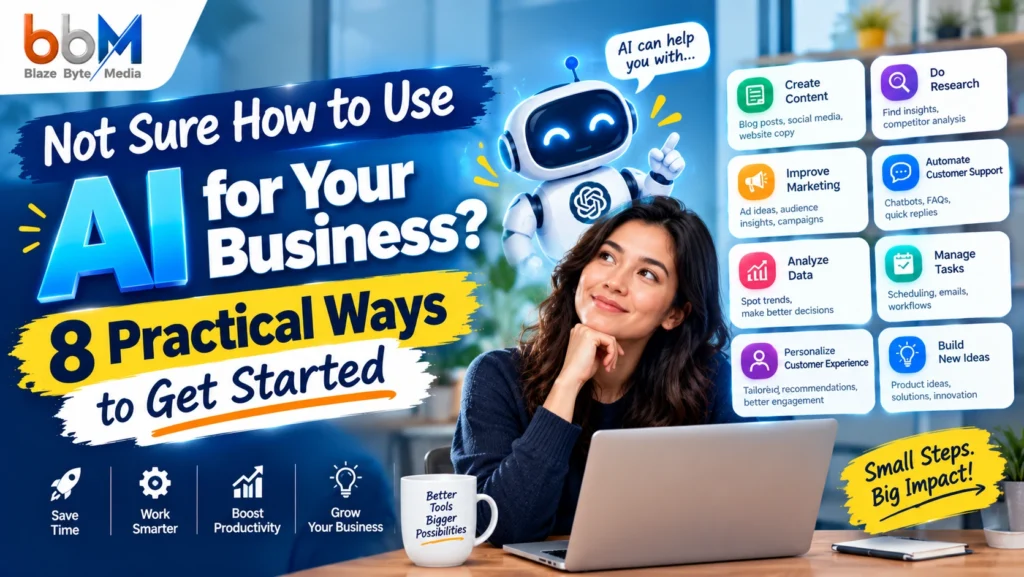
You have heard “you need to use AI” in every meeting, newsletter, and LinkedIn post for the past year. So you opened a chatbot, typed something vague, got a bland answer, and closed the tab. Now you are wondering if everyone else is ahead of you, or if the whole thing is overhyped.
Neither is true. Most businesses stall on the same three problems: they don’t know where to start, they fear a costly or embarrassing mistake, and they can’t tell which tasks AI does well and which it ruins.
The short answer on how to use AI for your business: start with one repetitive, low-risk task that eats at least two hours of your week, such as answering customer questions, drafting emails, or summarizing meetings. Give AI a clear role and context, review everything it produces, and measure the time saved. Once that works, add the next task. The 8 use cases below follow that order, from safest to most advanced.
This guide covers why people get stuck, the mistakes that waste money, a simple framework for choosing your first use case, eight practical applications with steps and example prompts, and a 30-day plan. It is written for owners and teams who want results, not theory.
Why Most Businesses Get Stuck With AI
Most businesses get stuck because AI feels like a huge, undefined project. In reality it is a set of small tools that each solve one narrow problem. The people who make progress stop asking “what can AI do?” and start asking “what task do I hate doing?”
If any of these thoughts sound familiar, you are in good company:
- “I don’t have time to learn another tool.”
- “I tried it once and the answer was generic.”
- “What if it makes something up and I send it to a client?”
- “I don’t know what to ask it.”
- “Will it replace my team, or make me look replaceable?”
- “Is it safe to put customer information in there?”
The emotional side nobody mentions
The frustration is rarely about technology. It is about fear of looking foolish, fear of wasting money on another tool nobody uses, and a quiet worry that your competitors have already figured it out. Business owners also carry a protective instinct. You built the brand voice, and handing any of it to a machine feels risky.
That instinct is healthy. It is also the best quality-control system you have. AI works best when a knowledgeable person stays in charge, which is exactly where you sit.
What AI actually is, in plain words
When people say “AI” for business use, they usually mean generative AI assistants such as ChatGPT, Claude, Gemini, and Microsoft Copilot. These tools read text you give them and produce text, summaries, tables, code, or ideas in response. Some can also read images and spreadsheets. They are fast and flexible, but they predict likely wording rather than “knowing” facts, so they can sound confident and still be wrong.
That one idea explains most of the rules in this guide.
The 6 Mistakes That Waste Time and Money
The most common AI mistakes are starting too big, using vague prompts, skipping human review, ignoring privacy, buying tools before defining a problem, and expecting instant perfection. Each one is avoidable with a small amount of planning.
| Mistake | What it looks like | Better approach |
|---|---|---|
| Starting too big | “Let’s automate marketing, sales, and support this quarter.” | Pick one task and test it for two weeks. |
| Vague prompts | “Write a blog post about our services.” | Give role, audience, tone, length, and examples. |
| No human review | Publishing raw AI output | Fact-check every claim and edit for voice. |
| Ignoring privacy | Pasting client contracts into a free tool | Set clear rules about what data is allowed. |
| Tool shopping first | Subscribing to five apps before knowing the need | Define the problem, then choose the tool. |
| Expecting perfection | Quitting after one weak result | Treat the first draft as a starting point and refine. |
Why the vague prompt problem hurts most
When someone says “AI gave me generic garbage,” the cause is almost always the input. A new employee handed the instruction “write something about our services” would produce generic work too. Give AI the same briefing you would give a smart intern, and the output improves sharply.
The “set it and forget it” trap
Some owners assume AI should run unattended. In practice, the best results come from a loop: AI drafts, a person reviews, and the person’s corrections become better instructions next time. Think of AI as a very fast junior assistant, not an autopilot.
A 5-Step Framework to Choose Your First AI Use Case
To choose your first AI use case, list your repetitive tasks, score them on time cost and risk, test the winner on a small batch, document what works, and then expand. This takes about an hour and prevents scattered experiments.
Call it the LSTDE framework: List, Score, Test, Document, Expand.
Step 1: List your repetitive tasks
Write down every task you or your team repeats weekly. Include small ones like replying to the same customer question, writing meeting follow-ups, or formatting reports. Aim for 10 to 15 items.
Step 2: Score each task
Rate each task from 1 to 5 on two measures:
- Time cost: How many hours per week does it take?
- Risk: What happens if the output is wrong? (1 = harmless, 5 = legal or financial damage)
Your best starting candidates have high time cost and low risk. Internal summaries, first-draft emails, and content outlines usually win. Pricing quotes and legal wording usually do not.
Step 3: Test on a small batch
Run the top task through an AI tool on 5 to 10 real examples. Compare the AI-assisted version against your normal process on time, quality, and effort.
Step 4: Document what works
Save the prompt that worked, the checks you applied, and any mistakes the AI made. This becomes a reusable playbook anyone on your team can follow.
Step 5: Expand
Once a task saves time reliably, move to the next one. Do not add a second use case until the first one is routine.
8 Practical Ways to Use AI for Your Business
The eight best starting points are customer support, marketing content, search visibility, sales follow-up, daily admin, research, data reporting, and team training. Each one targets a task most businesses already do, so you are improving existing work rather than building something new.
1. Customer Support and FAQs
AI can draft replies to common customer questions, sort incoming messages by urgency, and power a basic chat assistant. Start with drafting replies for a human to approve before letting any tool talk to customers directly.
Support is a strong first use case because the same 20 questions often make up most of your inbox. That repetition is exactly what AI handles well.
How to start:
- Export or list your 20 most common customer questions and the answers you normally give.
- Paste them into an AI assistant as reference material.
- Ask it to draft replies in your brand voice for new incoming questions.
- Edit each draft before sending for the first two weeks.
- Track how many drafts you send with no changes. That is your quality signal.
Example prompt:
“You are a customer support agent for a [type of business]. Use the answers below as your only source. Reply to this customer message in a warm, concise tone under 100 words. If the answer is not in the source, say ‘I need to check with the team’ instead of guessing.”
That last line matters. Telling the tool what to do when it doesn’t know reduces made-up answers.
Watch out for: refund rules, medical or legal claims, and anything involving personal account data. Keep a human on those.
2. Marketing Content Creation
AI is useful for outlines, first drafts, headline options, social posts, and repurposing one piece of content into several formats. It is weak at original insight, so your expertise and real examples must come from you.
Most marketing teams lose time in the blank-page stage. AI removes it. You supply the experience and opinions, and it handles structure and rough wording.
A simple content workflow:
- Brief: Write 5 bullet points covering topic, audience, main point, one real example, and desired action.
- Outline: Ask AI for 3 outline options. Pick one and adjust it.
- Draft: Ask for a section-by-section draft, one section at a time.
- Add your layer: Insert real stories, numbers, and opinions that only you have.
- Edit: Cut filler, check facts, and match your brand voice.
Repurposing example: Turn one 1,500-word article into a LinkedIn post, three short social posts, an email newsletter intro, and a 60-second video script. This is where AI saves the most hours.
Common objection: “Won’t it all sound the same?” It will if you publish raw output. Feed it samples of your best writing and ask it to match that style, then edit hard. Search engines and readers both reward content that shows real experience.
3. SEO and Search Visibility
AI can speed up keyword grouping, content briefs, meta descriptions, and FAQ ideas. It can also help you write answers that AI search tools can easily quote, which is the focus of answer engine optimization (AEO) and generative engine optimization (GEO).
People now ask questions in Google, ChatGPT, Perplexity, and Gemini, and they expect direct answers. Content that opens with a clear answer and then adds detail tends to be easier for both humans and AI systems to use.
Practical steps:
- Collect questions your customers actually ask (support inbox, sales calls, reviews).
- Ask AI to group them by topic and suggest one page or section per group.
- Write each section with a 2 to 3 sentence direct answer first, then supporting detail.
- Use clear headings phrased as questions where natural.
- Add a short FAQ and mark it up with structured data.
Example prompt:
“Here are 30 customer questions. Group them into topics, suggest a page title for each group, and list the single most important question to answer first on each page.”
Watch out for: letting AI invent statistics or sources. Verify every number against its original source before publishing.
4. Sales Outreach and Lead Follow-Up
AI can personalize first-draft outreach, summarize prospect research, and write follow-up emails after calls. It should support relationship building, not replace it, because generic mass messages hurt trust.
Many leads go cold because follow-up falls through the cracks. AI helps you respond quickly with something relevant instead of a template.
How to use it well:
- After a sales call, paste your notes (without sensitive personal data) into AI.
- Ask it to write a follow-up email that restates the prospect’s problem, one proposed next step, and a short summary.
- Edit for accuracy and tone, then send within 24 hours.
- Ask AI to suggest answers to the objections raised, such as price, timing, or “we already have a vendor.”
Example prompt:
“Write a follow-up email to a prospect who said budget is tight and timing is uncertain. Acknowledge both concerns honestly, offer a smaller starting option, and end with one clear question. Keep it under 120 words.”
Watch out for: fake familiarity. If AI writes “I loved your recent post” and you never read it, the prospect can tell.
5. Daily Admin and Operations
AI can summarize meetings, draft routine emails, create checklists, and turn messy notes into clear procedures. These are low-risk tasks with immediate time savings, which makes them ideal for building confidence.
If you want a safe place to practice, start here. Nothing leaves your business, and mistakes are easy to catch.
Quick wins:
- Meeting summaries: Paste transcript or notes and ask for decisions, action items, and owners in a table.
- Email drafting: Give AI the key points and ask for a polite, short reply.
- Standard operating procedures (SOPs): Describe a process out loud or in rough notes, then ask AI to format it as numbered steps.
- Checklists and templates: Ask for onboarding checklists, project kickoff templates, or weekly planning sheets.
Example prompt:
“Turn these rough notes into a numbered SOP for a new team member. Use plain language, one action per step, and add a ‘common mistakes’ section at the end.”
This single use case often gives owners their first real taste of time saved.
6. Market and Competitor Research
AI can summarize industry articles, compare competitor offers you provide, and suggest angles you may have missed. Because it can state wrong facts confidently, treat it as a research assistant that needs checking, not a source of record.
Research is slow because it involves reading a lot to find a little. AI shortens the reading.
How to do it safely:
- Gather the actual material yourself: competitor pricing pages, public reviews, industry reports.
- Paste or upload the material and ask AI to summarize differences in a comparison table.
- Ask follow-up questions such as “What do customers complain about most in these reviews?”
- Verify any claim that will affect a business decision against the original source.
Example comparison table prompt:
“Using only the text below, compare these three competitors on price, main offer, target customer, and one weakness. Present it as a table. If something is not stated, write ‘not stated’.”
The phrase “using only the text below” keeps the tool anchored to real material and away from guesses. Some assistants can also browse the web, but check their cited sources before you rely on any of it.
7. Data Analysis and Reporting
AI can explain spreadsheets in plain language, spot trends, draft formulas, and turn raw numbers into a short written report. You still need to confirm the calculations, since AI can misread data or make arithmetic errors.
If spreadsheets intimidate you, AI can act as a patient translator.
What to try:
- Ask it to write a spreadsheet formula from a plain-English description, such as “sum column C where column A says ‘Paid’ and the date is in March.”
- Paste a small, anonymized data table and ask, “What three patterns stand out?”
- Ask it to turn monthly numbers into a one-page summary for your team, with a headline, three insights, and one recommended action.
A reporting workflow:
- Export a clean table from your accounting, sales, or analytics tool.
- Remove personal or confidential details.
- Ask AI for a summary and for any assumptions it made.
- Check two or three numbers by hand. If they match, you can trust the rest more. If not, stop and investigate.
Watch out for: large or sensitive financial files in tools that lack proper data protections. Use business-grade plans and your company’s data policy.
8. Team Training and Internal Knowledge
AI can turn your existing documents into training guides, quizzes, and a searchable internal Q&A, which reduces the number of times staff interrupt each other for answers. It helps new hires get up to speed faster, provided the source material is accurate.
Every business has knowledge stuck in people’s heads. AI helps get it out and organized.
Steps:
- Collect your core documents: policies, product details, process notes, past emails with good answers.
- Ask AI to create a one-page onboarding guide for a specific role.
- Generate 10 quiz questions from each guide to check understanding.
- Review everything for accuracy before sharing it with staff.
- Update the source documents regularly so the guide does not go stale.
Example prompt:
“Based on the policy below, write a 10-question quiz for new customer service staff. Include the correct answer and a one-sentence explanation for each.”
This also supports a point owners worry about: AI used well makes your team more capable instead of making them feel replaceable.
Quick comparison: which use case should you start with?
| Use case | Time saved potential | Risk level | Skill needed | Good first project? |
|---|---|---|---|---|
| Daily admin | Medium | Low | Beginner | Yes |
| Marketing content | High | Low to medium | Beginner | Yes |
| Customer support drafts | High | Medium | Beginner to intermediate | Yes, with review |
| Sales follow-up | Medium | Medium | Beginner | Yes |
| Research | Medium | Medium | Intermediate | Later |
| SEO and AEO | Medium to high | Low to medium | Intermediate | Later |
| Data reporting | Medium | Medium to high | Intermediate | Later |
| Training and knowledge | Medium | Low to medium | Intermediate | Later |
How to Write Prompts That Get Useful Answers
A good prompt includes five parts: role, task, context, format, and constraints. Adding these turns a generic answer into something you can use with light edits.
Use the R-T-C-F-C formula:
- Role: Who should the AI act as?
- Task: What exactly do you want?
- Context: Who is the audience, and what is the background?
- Format: Table, bullets, email, or number of words?
- Constraints: What to avoid, what to include, what to do when unsure.
Before and after example
Weak prompt:
“Write an email about our new service.”
Strong prompt:
“You are a friendly account manager at a small marketing agency. Write an email to existing clients announcing a new monthly reporting service. Audience: busy small business owners who dislike jargon. Keep it under 150 words, include one clear benefit and one call to action to reply for a free sample report. Do not use buzzwords.”
The second version takes 30 seconds longer to write and saves several rounds of editing.
Three habits that improve every prompt
- Give examples. Paste one sample of writing you like and say “match this tone.”
- Ask for options. Request three versions so you can choose and combine.
- Iterate. Reply with “make it shorter,” “less formal,” or “add a real-world example.” Treat it as a conversation.
Safety, Privacy, and Quality Rules
The safest approach is to write a one-page AI policy covering what data is allowed, who reviews output, and what must never be automated. Even a simple policy prevents most avoidable problems.
Your policy does not need legal jargon. It needs clear answers to a few questions:
- What can staff paste into AI tools? Public information and anonymized data are safer. Client contracts, passwords, financial records, and health or personal data should be off limits unless you use a plan with the right protections.
- Who reviews AI output before it goes out? Name a person or role.
- What must always stay human? Legal advice, pricing commitments, sensitive complaints, and final hiring decisions are common examples.
- Which tools are approved? Check each tool’s data and privacy settings, including whether your inputs may be used for model training.
Disclosure and honesty
Be truthful if a customer asks whether they are chatting with a bot. Rules on AI disclosure and data handling vary by country and industry, so check your local requirements or ask a qualified professional.
The three-check review
Before publishing or sending anything AI-assisted, ask:
- Is it true? Verify names, numbers, and claims.
- Is it us? Does it sound like our brand and reflect our real experience?
- Is it safe? Does it reveal private information or make promises we can’t keep?
How to Measure Whether AI Is Working
Measure AI by tracking time saved, quality, and cost before and after you start. If you cannot show a clear improvement in one of these within a month, change the task or the approach.
Many owners skip this step and then can’t tell if the effort paid off. Keep it simple.
| Metric | How to measure | Example question |
|---|---|---|
| Time saved | Compare minutes per task before and after | How long does a weekly report take now? |
| Quality | Count edits needed per draft or customer feedback | How many replies are sent unchanged? |
| Response speed | Track time to first reply | Did we answer leads faster? |
| Cost | Compare tool cost to hours saved | Is the subscription cheaper than the time it replaces? |
| Team confidence | Short monthly check-in | Do people find it helpful or annoying? |
Record a baseline for one week before you start. Without it, you are guessing.
I can’t give you a reliable average for how much time AI saves, because results depend heavily on the task and the person using it. Your own numbers are the ones that matter.
Your 30-Day Starter Plan
A 30-day plan keeps AI adoption manageable: learn in week one, test in week two, refine in week three, and decide in week four. Small steps beat big launches.
Week 1: Choose and learn
- Complete the LSTDE list and score your tasks.
- Pick one low-risk, high-time task.
- Open a free or business plan of one assistant and practice with five prompts.
- Write your one-page AI policy.
Week 2: Test
- Run your chosen task on 5 to 10 real examples.
- Record time and quality against your baseline.
- Save the best prompt in a shared document.
Week 3: Refine and involve your team
- Fix what went wrong: unclear prompts, missing context, or wrong tone.
- Show one colleague how to use the saved prompt.
- Add the three-check review to your process.
Week 4: Decide and expand
- Review your numbers. Keep, change, or drop the use case.
- If it worked, choose the next task from your list.
- Share one win with the team so adoption feels positive, not forced.
What to do if you hit resistance
Some staff worry about job security. Be direct: explain which tasks you want AI to handle (repetitive, draining ones) and which stay human (judgment, relationships, creativity). Invite their ideas, because the people doing the work often know the best tasks to improve.
Beginner, Intermediate, and Advanced: Where Are You?
Beginners should use AI for drafts and summaries, intermediate users should build reusable prompts and workflows, and advanced users can connect AI to their tools for automation. Moving up one level at a time is more important than moving fast.
- Beginner: You use a chat assistant for emails, outlines, and summaries. Focus on prompt quality and review habits.
- Intermediate: You keep a prompt library, use AI across several teams, and feed it your own documents. Focus on consistency and measurement.
- Advanced: You connect AI to your CRM, help desk, or reporting tools, or build custom assistants. Focus on governance, testing, and monitoring errors.
Most small businesses get strong returns without ever leaving the first two levels.
How to Use AI for Your Business Without Losing Your Brand Voice
To protect your brand voice, give AI a written style guide, sample content, and a list of words to avoid, then edit every output. Your voice lives in your specific stories and opinions, which AI cannot supply.
Create a short “voice sheet” with:
- Three adjectives that describe your tone (for example, direct, warm, practical).
- Five phrases you use often and five you never use.
- Two or three paragraphs of your best writing as reference.
- Your audience in one sentence.
Paste this sheet at the start of any writing task. Over time, you will find that the output needs fewer edits.
Conclusion: Start Small, Stay in Charge
Learning how to use AI for your business does not require a big budget or technical skills. It requires one clear task, a good prompt, a person reviewing the output, and a simple way to measure results. Start with admin or content drafts, move to support and sales follow-up, and add research, reporting, and training when you are ready.
The businesses getting real value are not the ones using the most tools. They are the ones that picked a real problem, tested carefully, and kept human judgment at the center. You can do the same this month.
Frequently Asked Questions
1. How do I start using AI in my business?
Pick one repetitive, low-risk task, such as drafting emails or summarizing meetings. Test an AI assistant on 5 to 10 real examples, review the output, and track time saved. Expand only after the first task works reliably.
2. What is the easiest way to use AI for a small business?
Daily admin tasks are the easiest entry point. Meeting summaries, email drafts, and checklists carry low risk and show benefits quickly. They also help your team build confidence before using AI with customers.
3. Do I need technical skills to use AI?
No. Most business uses of AI need only clear written instructions. If you can brief a new assistant by email, you can write a useful prompt.
4. How much does it cost to use AI for business?
Costs vary widely. Many tools offer free tiers, and paid plans are typically priced per user per month. Check each provider’s current pricing page, since plans change often, and compare the cost to the hours saved.
5. Which AI tool is best for business?
There is no single best option. ChatGPT, Claude, Gemini, and Microsoft Copilot are popular general assistants, and the right choice depends on your task, budget, and existing software. Test two on the same task before committing.
6. Will AI replace my employees?
AI is better at automating tasks than replacing whole jobs. Repetitive work such as drafting and summarizing is most affected, while judgment, relationships, and accountability still need people. Being open with your team about this reduces fear.
7. Is it safe to put customer data into AI tools?
Not by default. Avoid pasting personal, financial, or confidential data into tools without checking their privacy terms and your legal obligations. Use anonymized information and business-grade plans where possible.
8. Can AI write my blog posts and marketing content?
It can produce solid drafts, outlines, and variations. Quality content still needs your real experience, fact-checking, and brand voice, so treat AI output as a first draft rather than a finished piece.
9. How do I stop AI from making things up?
Give it source material and tell it to use only that. Add an instruction such as “if the answer is not in the text, say you don’t know.” Then verify any facts, names, or numbers before you use them.
10. What is a prompt, and how do I write a good one?
A prompt is the instruction you give an AI tool. A good one states the role, task, context, format, and constraints. More detail generally produces more useful answers.
11. Can AI help my business show up in AI search tools?
Yes, indirectly. Clear, accurate pages that answer real questions directly, with structured headings and FAQ markup, are easier for search engines and AI assistants to understand and cite. No one can guarantee inclusion in AI answers.
12. How long does it take to see results from AI?
Simple tasks like email drafting can show time savings in the first week. Larger workflows may take a few weeks of testing and refinement. Track a baseline so you can see the change.
13. What tasks should I never give to AI?
Avoid fully automating legal advice, medical guidance, final pricing commitments, sensitive complaints, and hiring or firing decisions. These need human accountability and context.
14. Can I use AI for customer service?
Yes, starting with drafted replies reviewed by a person. After testing, some businesses add chat assistants for simple questions while routing complex or sensitive issues to staff. Be honest with customers when they are interacting with a bot.
15. How do I keep AI content from sounding robotic?
Provide examples of your real writing, ask for a specific tone, and edit the result. Add personal stories, opinions, and concrete details. Remove generic phrases and repetitive sentence patterns.
16. Is AI good for data analysis?
It is helpful for explaining data, writing formulas, and spotting patterns in small datasets. It can misread data or make calculation errors, so check key numbers by hand before acting on them.
17. Do I need an AI policy for my company?
A short policy is a good idea, even for tiny teams. It should state what data is allowed, who reviews output, which tools are approved, and what must remain human-only.
18. How can I train my team to use AI?
Run a short workshop using a real task from your business. Share saved prompts, explain the review checklist, and encourage people to bring their own repetitive tasks. Learning on real work sticks better than abstract demos.
19. What are the biggest mistakes beginners make with AI?
Starting too big, writing vague prompts, publishing without review, sharing sensitive data, and quitting after one weak result. Each can be avoided with small tests and a clear process.
20. How do I know if AI is worth it for my business?
Compare time, quality, and cost before and after a 30-day test on one task. If you save meaningful time without lowering quality, it is worth continuing. If not, adjust the task or the approach.